Pages and Layouts
Meet the next generation of documentation. AI-native, beautiful, out-of-the-box, and built for developers and teams.
Pages
The most fundamental building block of your app is a page. You define a page by creating an
index.php file inside a route. The page will gain the route path derived from these nested files.
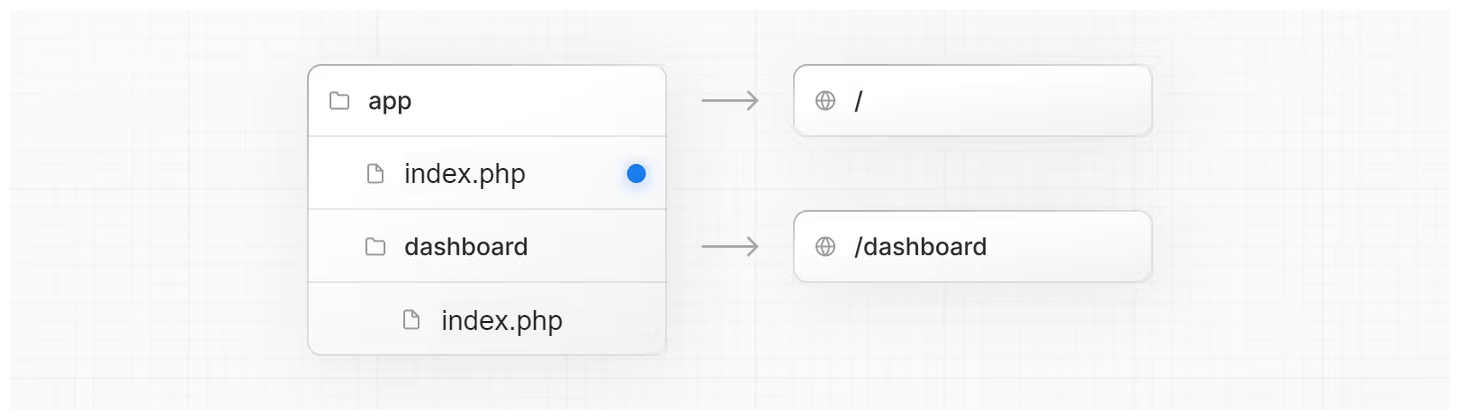
    ├── pages/
    │   ├── index.php         → /
    │   ├── example.php       → /example
    │   └── dashboard/
    │       └── page.php      → /dashboard
A route is created based on the folder structure. You can nest page files by creating new subfolders inside the
pages directory. For example, to create a page for /example, create a new folder
called
example inside your directory and add a page.php file inside.
    create-project/
    ├── pages/
    │   └── example/
    │       └── page.php
Layouts
Layouts are UI that are shared between multiple pages. On navigation, layouts preserve state, remain interactive, and do not re-render. Layouts wrap all child pages of the corresponding route.
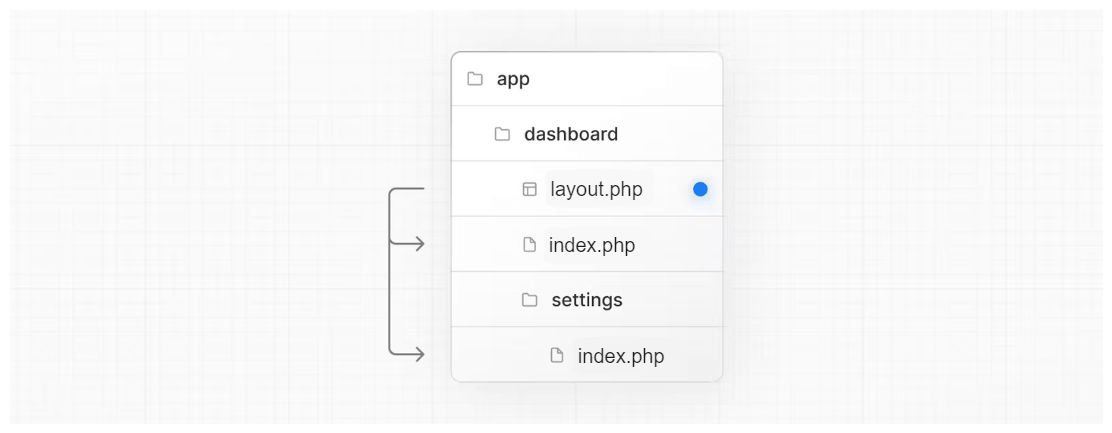
Root Layout (Required)
The root layout is defined at the top level of your directory and applies to all routes. This layout is required and must contain both client and server logic, allowing you to modify the entire application’s structure.
    <!-- root layout -->
    <html>
        <head>
            <title>My App</title>
        </head>
        <body>
            <?= $content ?>
        </body>
    </html>
Nesting Layouts
By placing a layout.php file inside a folder, that layout will wrap the pages in that route.
Layouts nest hierarchically, meaning you can have layouts inside layouts, each wrapping only their section.
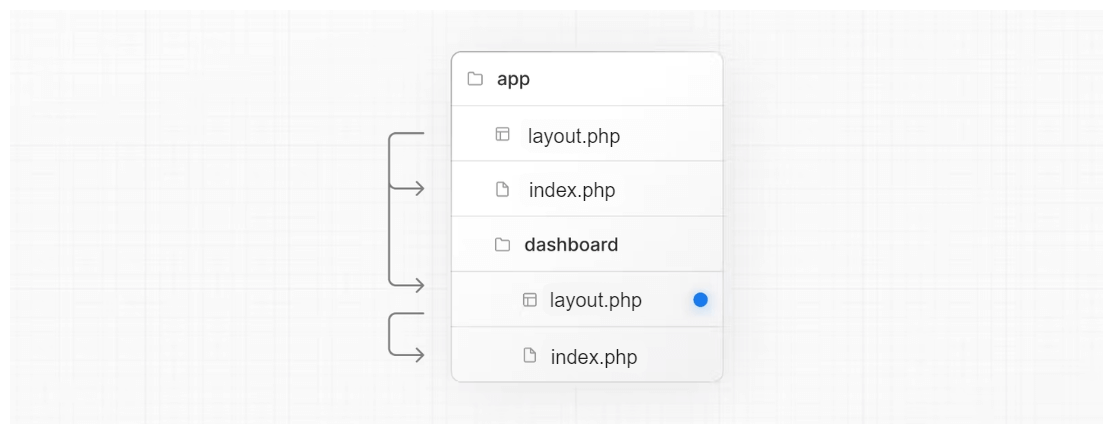
    pages/
    ├── layout.php            → root layout
    ├── dashboard/
    │   ├── layout.php        → dashboard layout
    │   ├── settings/
    │   │   └── page.php      → /dashboard/settings
    │   └── analytics/
    │       └── page.php      → /dashboard/analytics
Layout Combination
A shared layout is a layout that wraps multiple sub-routes. For example, the dashboard layout wraps all dashboard-related pages. Combined layouts allow you to build consistent UI sections while keeping the root layout responsible for global structure.
    pages/
    └── dashboard/
        ├── layout.php
        ├── analytics/
        └── settings/
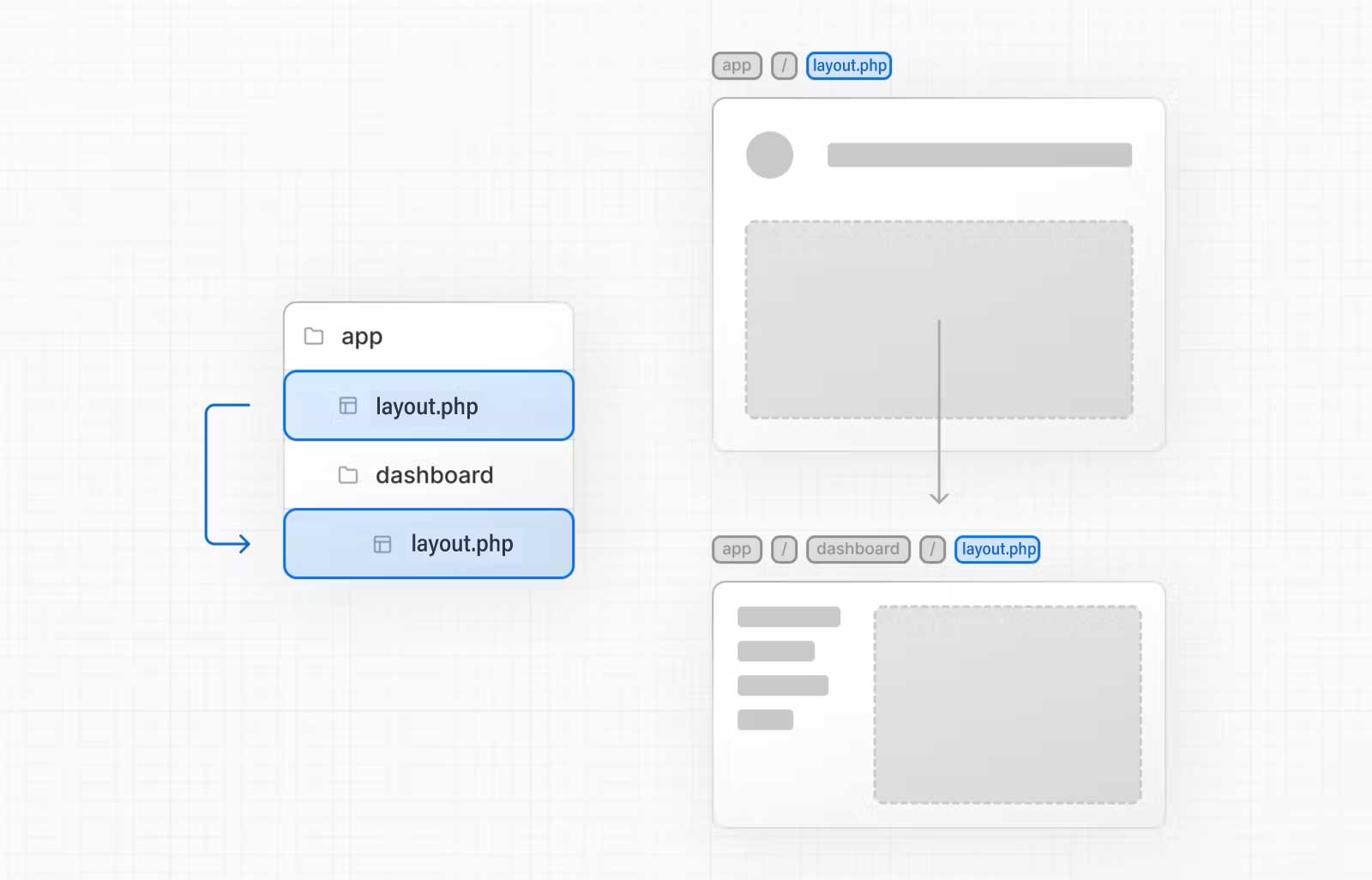
You can combine multiple layouts at once. First the root layout wraps everything, then the dashboard layout wraps dashboard pages, creating a clean and maintainable structure.
Good to know
- Only the root layout can contain
<html>and<body>tags. - Layouts can fetch data. View the Data Fetching section for more information.
- Layouts do not have access to the route segments below itself.
- You can use Route Groups to opt specific route segments in and out of shared layouts.
- You can use Route Groups to create multiple root layouts.