Terminology
These are the terms used throughout the routing documentation. They help you reason about
the folder tree in app/ and how it
becomes URL paths.
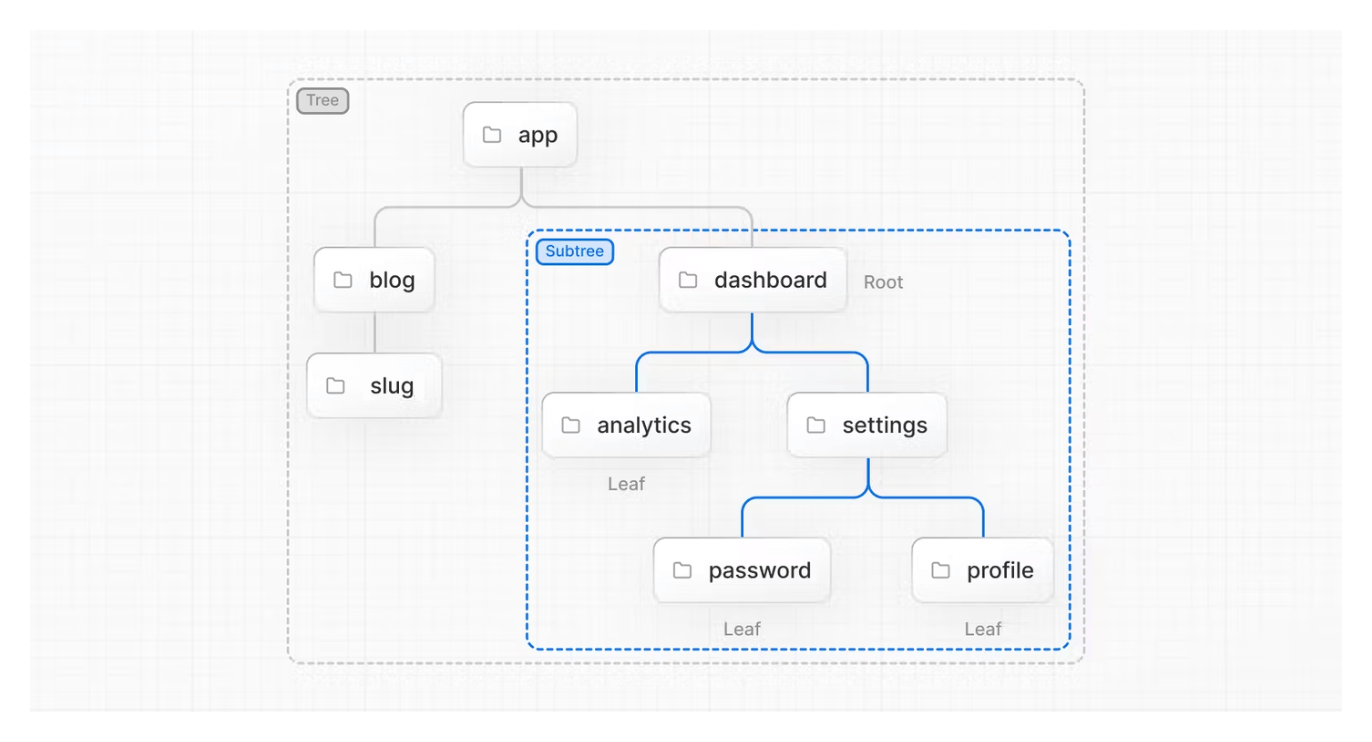
Diagram: app → dashboard → analytics / settings → password / profile
- Tree
- Convention for visualizing a hierarchical structure, such as a folder structure or component tree.
- Subtree
- A part of a tree that starts at a new root and ends at its leaves.
- Root
- The first node in a tree or subtree, such as a root layout or top-level route folder.
- Leaf
- A node with no children, like the last segment in a URL path or a terminal route file.

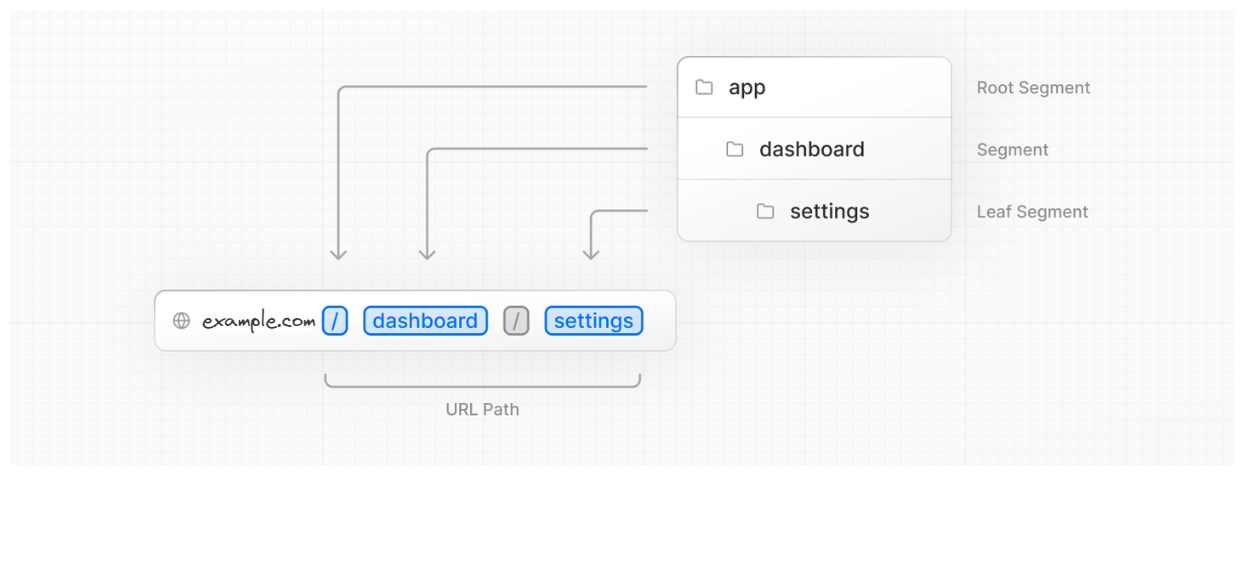
- URL Segment: Part of the URL path delimited by slashes.
- URL Path: Everything after the domain, composed of one or more segments.
The app Router
Prisma PHP uses a file-system based router where folders are used to define routes. Each folder represents a route segment that maps to a URL segment. To create nested routes you simply nest folders inside each other.
The App Router lives in the directory named
app/.
This directory is the root of your application’s routing tree.

Route Segments
Each folder in a route represents a route segment. Each route segment is mapped to a corresponding segment in the URL path.
Nested Routes
To create a nested route you can nest folders inside each other. For example, you can add a new
/dashboard/settings route by adding two
sub-folders inside the app directory.
The /dashboard/settings route is composed of
three segments:
- / (root segment)
- dashboard (segment)
- settings (leaf segment)
File Conventions
Prisma PHP provides a small set of special files to create UI with specific behavior in nested routes:
-
layout.php– Shared layout for a segment and its children. -
index.php– Default file executed when a route is accessed. Makes the route segment publicly accessible. -
not-found.php– UI rendered when a segment (or its children) can’t be found. -
loading.php– Loading UI for a segment and its children. -
error.php– Error UI for a segment and its children.
Component Hierarchy
Prisma PHP components defined in the special files of a route segment are rendered in a specific hierarchy:
- Root Layout – Layout in the root segment. This is the top-level layout of your application.
- Segment Layout – Layout in a specific segment. Wraps the UI for that segment and its children.
- Page – The index component for a segment. This is the primary UI for the route.
- Not Found – The not-found component in the root segment, rendered when the requested route is missing.
Colocation
Colocation is the practice of keeping files that belong together in the same place. In Prisma PHP you can
colocate files inside the app directory to
keep related route code, components, and styles easy to find and maintain.